What this app is for
At its core this app records who worked, on what, for how long, and whether it’s billable. Client invoices and project budgets are both built from what you enter, which is the short answer to why the fields are the way they are.
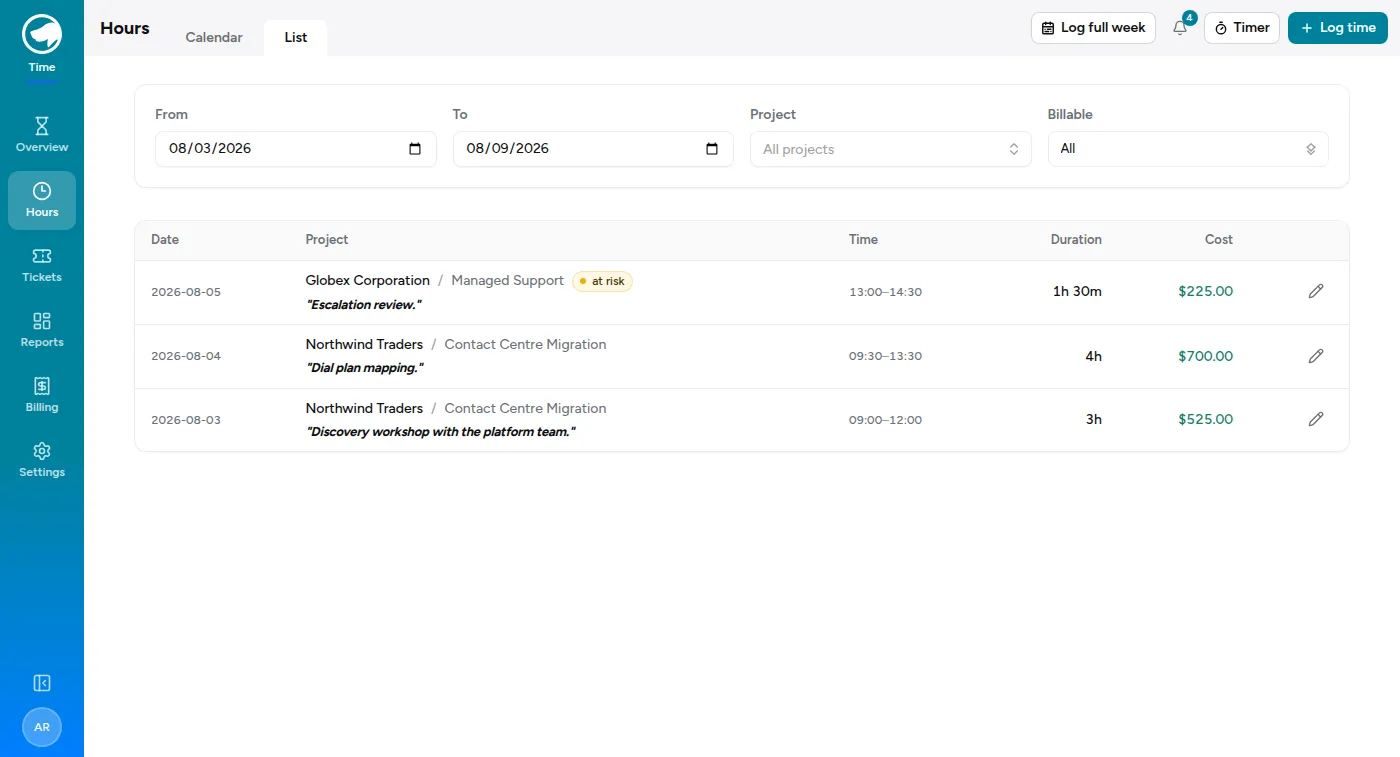
That’s what one person’s week looks like. Everything else in this guide is either a faster way to produce those rows, or a way to read them back.
Around that core, your organisation may also have a Service Desk for customer tickets and a Sales module for the pipeline that feeds the work. They’re optional, and they share the same companies, the same people and the same projects rather than keeping their own copies. See Finding your way around.
The shape of it
Section titled “The shape of it”Your time is organised in three levels:
- Company — who the work is for. Some companies are marked internal (PTO, training, R&D); time against those is real and worth logging, it just isn’t billed to anyone.
- Project — a body of work for that company. Projects can carry an hours or cost budget.
- Time entry — one block of your day.
Some projects are broken into phases. If a project has them, you’ll be asked which phase your time belongs to; if it doesn’t, you won’t see the field.
What you can see
Section titled “What you can see”You see your own time. Admins see everyone’s, and every admin edit of someone else’s entry is recorded — who changed what, and when.
Which projects appear in your project picker depends on what you’ve been assigned to. If a project you expect is missing, you’re not on its team yet; ask an admin to add you rather than logging the time somewhere approximate.
The same principle runs through the rest of the app. Which modules you see depends on what you’ve been granted, and in the Service Desk, which tickets you see depends on which queues you’ve been granted — being an administrator doesn’t quietly give you everything.
Why it asks what it asks
Section titled “Why it asks what it asks”Billable is on by default. Turn it off when the work genuinely isn’t chargeable. Non-billable time still counts toward your day — logging it is not a confession.
Some projects require a note. Where a client reads the notes on an invoice, the project is set to require one and the app won’t let you save without it. If you’re asked for a note, write it for the person paying the bill, not for yourself.
Your rate is captured when you log. The bill rate is stamped onto the entry at the moment you create it. If rates change later, your old entries keep the rate that applied when the work happened — so a rate change never silently rewrites history.
What it deliberately doesn’t do
Section titled “What it deliberately doesn’t do”No approvals, no timesheet locking, no PTO balances, no expenses. Budgets warn, they don’t block: if you go over, you’ll see a banner and someone will get a Slack message, but the app will still let you log the time. The record of what actually happened matters more than the budget looking tidy.
Nothing here deletes history. People, companies and projects are archived rather than removed, so the time and tickets attached to them stay intact and last year’s numbers keep adding up.