The operator surface
/ops lives outside every organization. It has no /o/:organization in its
URL, because it isn’t inside one — it’s how organizations get made in the first
place.
Getting there is the permission
Section titled “Getting there is the permission”There’s no link to /ops in any navigation. It’s marked on the user record with
an operator flag, and it’s separate from being an organization admin: a
platform admin of your own organization is not an operator, and most operators
don’t need to be admins.
The organization list
Section titled “The organization list”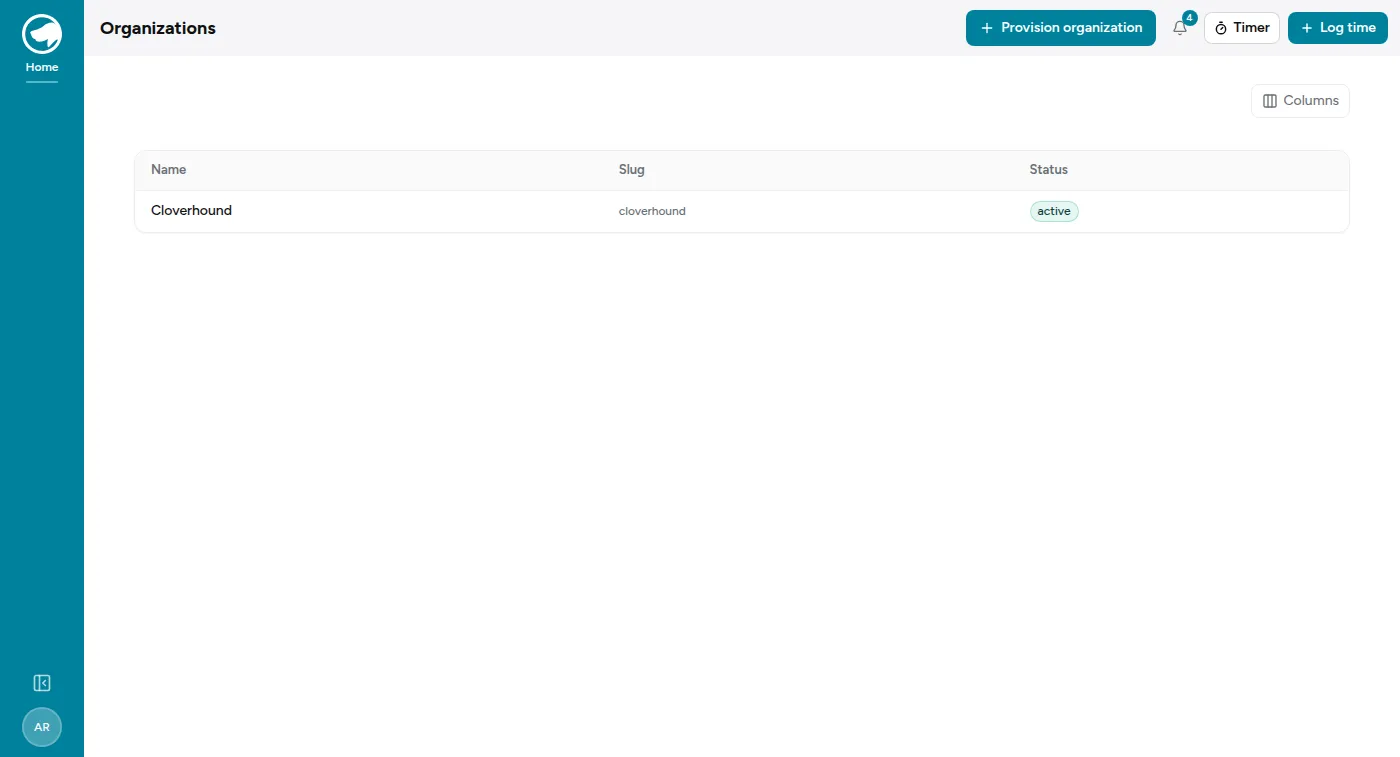
Every organization on the platform, with its slug and status. The slug is the one that appears in every URL that organization’s people use, and it can’t be changed after creation — so it’s worth a moment’s thought at provisioning time rather than an apology later.
From an organization you can suspend it and reactivate it. A suspended organization’s URLs answer exactly as an unknown organization’s would, for the same enumeration-resistance reason as above.
Provisioning a new organization
Section titled “Provisioning a new organization”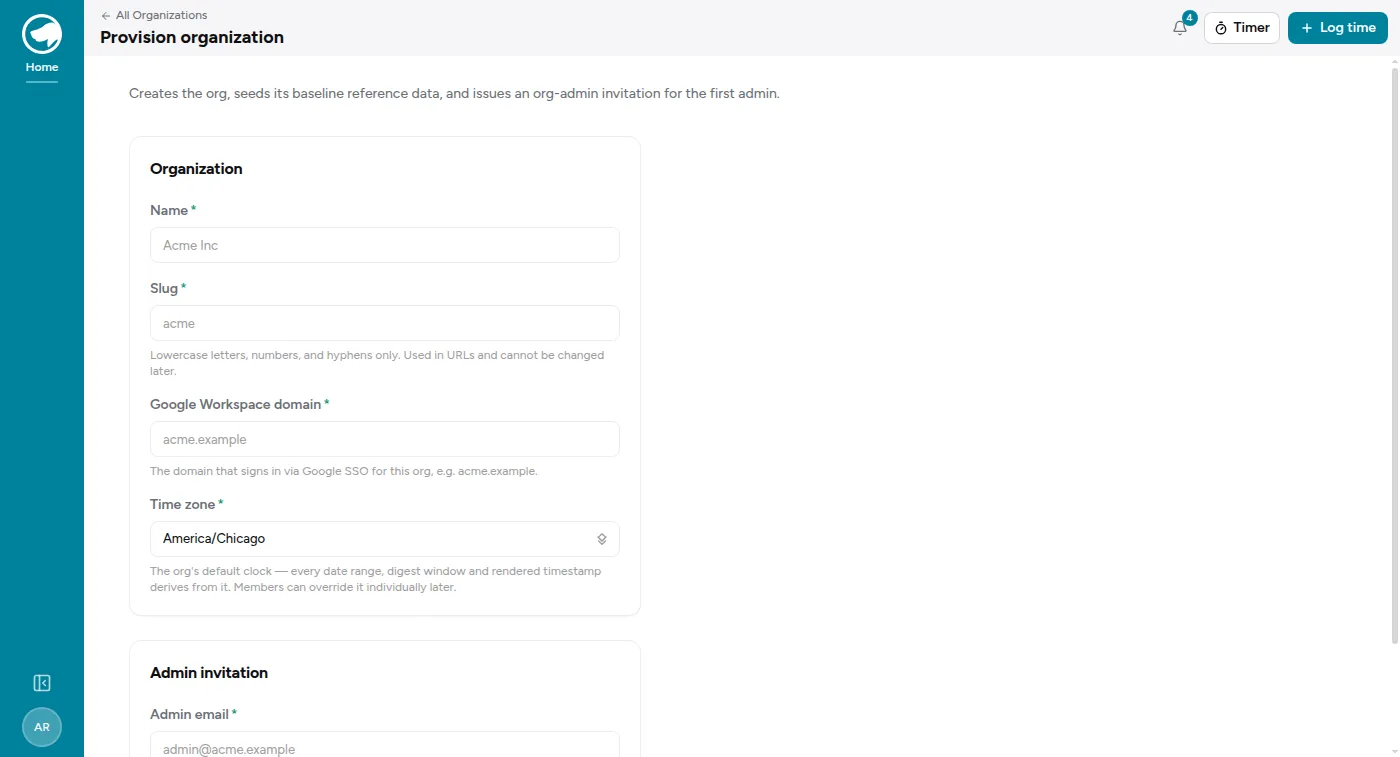
One form does the whole thing: creates the organization, seeds its baseline reference data — ticket states, priorities, queues, pipeline stages, agreement types, CMDB types — and issues an org-admin invitation to the first administrator.
Five fields, two of which are permanent decisions:
- Name — displayed, and changeable later.
- Slug — lowercase letters, numbers and hyphens. Used in URLs and cannot be changed later.
- Google Workspace domain — the domain that signs in via Google SSO. This becomes the org’s first entry in its trusted domains allowlist.
- Time zone — required, deliberately, with no default.
- Admin email — who gets the first invitation.
The first admin arrives by invitation like anyone else — see Joining your organization. Nothing about provisioning creates a usable account directly.
Looking at a tenant’s data
Section titled “Looking at a tenant’s data”You can’t, simply by being an operator. Reaching an organization’s actual records
from /ops requires a support access grant: live, time-boxed, and audited,
recorded against the organization whose data it opens.
Two things follow that are worth being deliberate about:
- The organization’s admins are told. “Support access granted” is one of the two notifications that ignores every delivery preference — no digest, no quiet hours, no per-event switch. Customers find out while it’s happening, not afterwards. See Notifications.
- It expires by itself. A grant is a window, not a state you leave switched on.
Actions taken under a grant are attributed by label rather than folded into the tenant’s own staff activity, so their audit trail doesn’t gain entries that look like their own people did the work.
Background jobs
Section titled “Background jobs”Mission Control at /ops/jobs is the job queue: what’s running, what’s
queued, what failed and why, with the ability to retry. It’s the first place to
look when something that should have happened in the background didn’t — a
digest that never arrived, a sync that didn’t run.