What your customers see
The portal is the customer’s half of the Service Desk. It’s a separate sign-in at a separate address, and the people who use it are your contacts, not members of your staff.
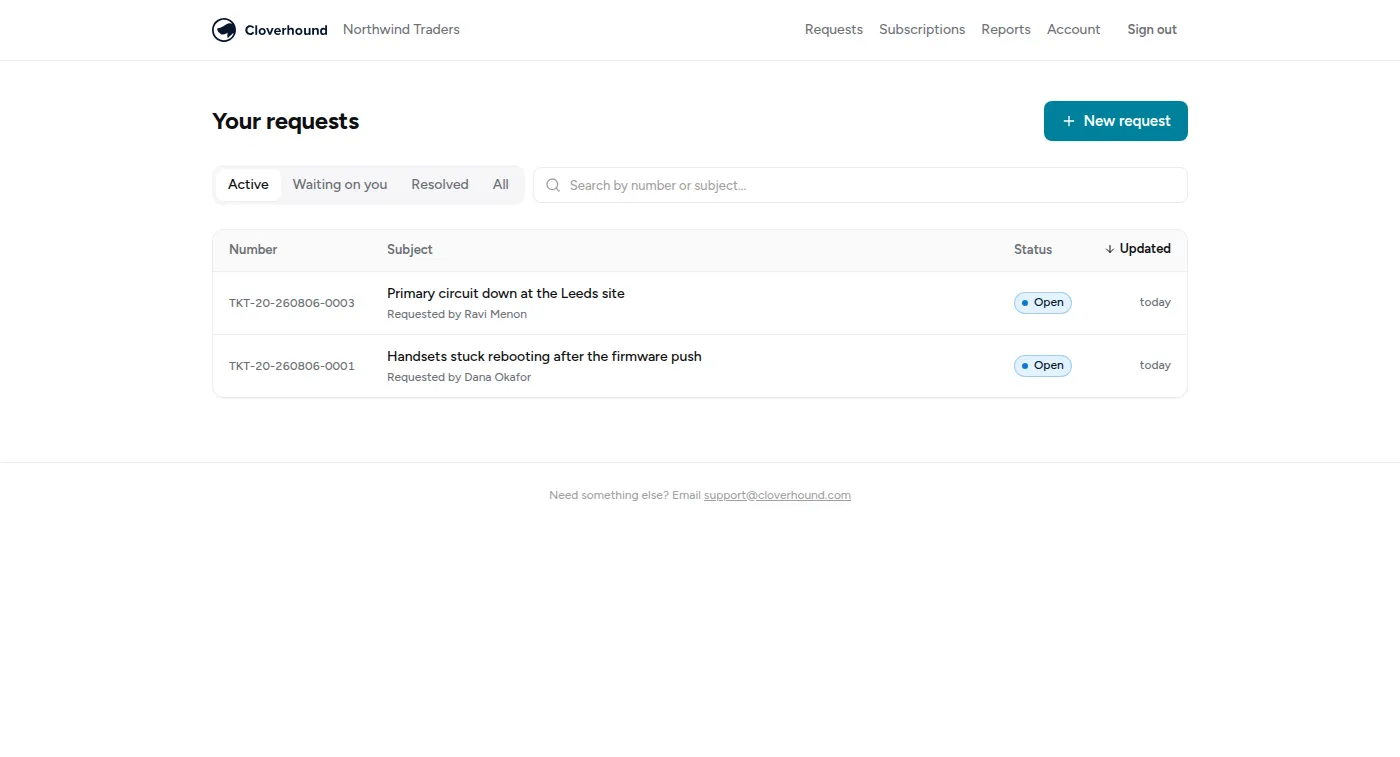
Getting in
Section titled “Getting in”Portal sign-in is by magic link by default: a contact enters their email and gets a link. Contacts can also set a password, and can turn on two-factor authentication with an authenticator app, with recovery codes in case they lose the device.
Some organisations federate portal sign-in to the customer’s own identity provider instead, so their staff use their normal work login.
Granting a contact access is done from Contacts in the Support rail — see Companies and contacts. A contact with no portal access can still email you; they just can’t sign in and look around.
What they can do
Section titled “What they can do”- Raise a request, with attachments and inline images.
- See their requests — open and closed, with a search and filters.
- Reply to a request, which lands in the ticket’s timeline as a customer message.
- Rate a resolved request, which is where satisfaction scores come from.
- See their subscriptions — what they’re paying for and when it ends.
- See reports on their own tickets.
- Manage their account — password, two-factor, and unsubscribing from notification emails.
They see the ticket’s number, title, status, requester, when it was created and when it last moved — not your queue names, your owner assignments, your SLA clocks or your internal notes.
The public request form
Section titled “The public request form”Separately from the portal, an organisation can turn on a public intake form — a page an unauthenticated stranger can post a request through, for when you want a “contact support” link that doesn’t require an account first. It’s off until you deliberately turn it on. See The public request form.
Who sees which requests
Section titled “Who sees which requests”This is per-company and worth setting deliberately. For each company a contact belongs to, they either:
- see everything that company has raised — right for an IT manager who needs the whole picture; or
- see only their own requests — right for an end user at a large customer, who has no business reading their colleagues’ tickets.
Separately, a membership can be view-only: the contact can read but not raise or reply.
A contact can belong to more than one company — useful for a consultant who looks after two of your customers, or someone at a parent company overseeing its subsidiaries. They see each company according to that company’s own setting, and when raising a request they’re asked which company it’s for.
Each organisation’s portal lives at its own address, and never shows a contact anything belonging to another of your customers.