Organization settings
Four settings, on one page, that apply to your whole organization. You’ll set them once and mostly forget them — but two of them are the difference between “our sign-in works” and “anyone at a company we’ve never heard of can sign in”.
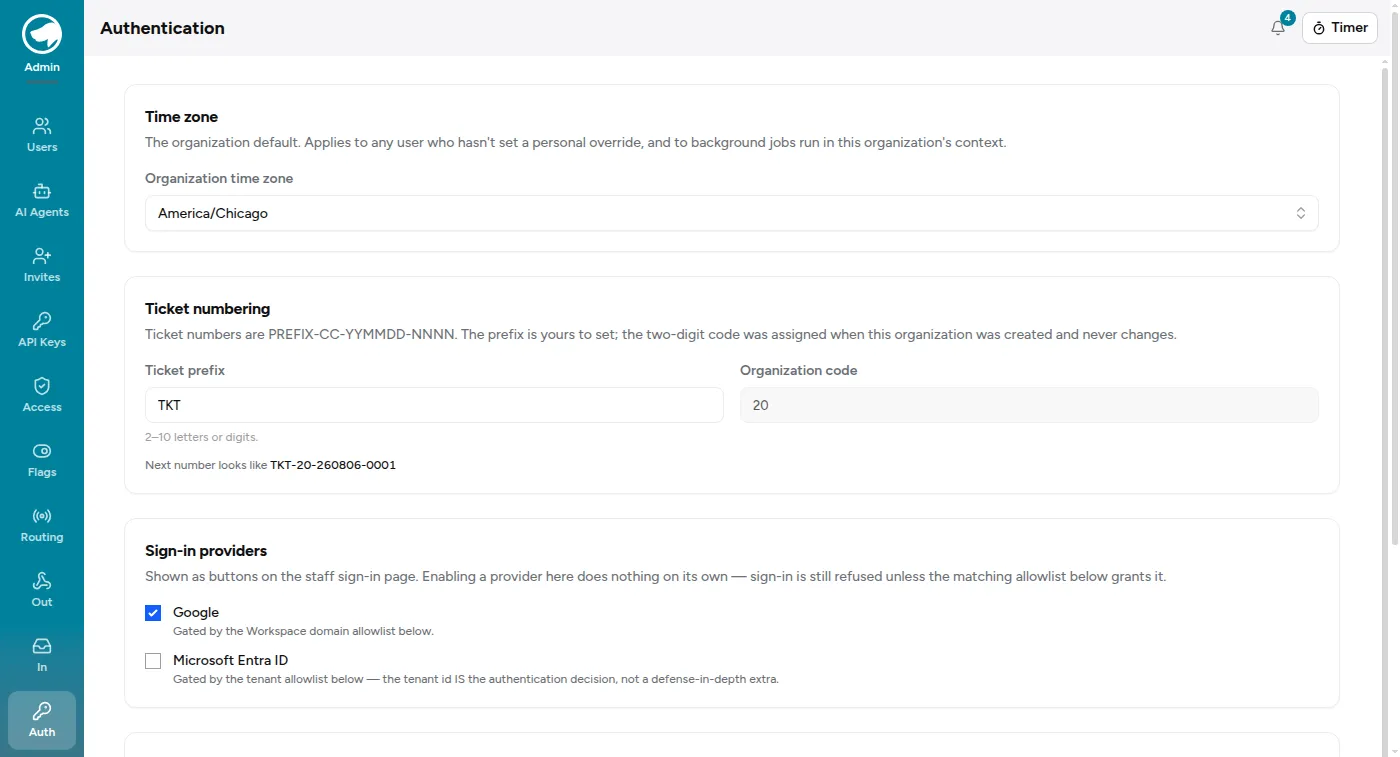
Time zone
Section titled “Time zone”The organization default. It applies to anyone who hasn’t set a personal override in their profile, and — the part that’s easy to miss — to background jobs running in your organization’s context.
That second one matters more than it sounds. Digests, nightly syncs and the “which week is this?” arithmetic behind reports all run against this zone. Get it wrong and your reports are cut on the wrong day boundary for everyone, including the people who did set a personal override.
Ticket numbering
Section titled “Ticket numbering”Ticket numbers look like PREFIX-CC-YYMMDD-NNNN.
| Part | What it is |
|---|---|
PREFIX |
Yours to set — 2–10 letters or digits |
CC |
A two-digit code assigned when your organization was created |
YYMMDD |
The date the ticket was raised |
NNNN |
A counter |
The prefix is the only part you control, and it’s worth choosing something short that a customer can read back over the phone. The page shows a live preview of what the next number will look like.
Sign-in providers, and the two allowlists
Section titled “Sign-in providers, and the two allowlists”This is the part to read slowly, because the two halves look redundant and aren’t.
Sign-in providers — Google and Microsoft Entra ID — decide which buttons appear on the staff sign-in page. That is all they do.
The allowlists below decide who actually gets in. Turning a provider on without filling in its allowlist gives you a button that refuses everybody.
- Trusted Workspace domains — Google sign-in resolves an email only when its domain is on this list. One per line.
- Trusted Entra tenants — a Microsoft sign-in is refused unless the token’s tenant id is on this list. One GUID per line.
Google is different because Google asserts that an address is verified, so a domain match is meaningful there in a way it isn’t for Entra. That asymmetry is also why an emailed invitation can only be accepted with Google.
Automations with their own identity
Section titled “Automations with their own identity”Separately, Admin → Agents lets you register an automation as its own actor — so a script’s writes appear under the script’s name rather than under whichever person’s credentials it borrowed.
An agent can’t sign in. It authenticates by API key only and can never hold a
session, which means registering one is not a back door into the UI. If you have
anything writing to this app on a schedule, give it an agent rather than a
person’s account; the day you need to work out what changed, you’ll be glad the
audit trail says Nightly importer instead of a colleague who was asleep.