Templates, signatures and auto-replies
Three settings pages decide the words that leave your service desk:
| Written by | Read before sending? | |
|---|---|---|
| Response templates | An agent, in the composer | Yes — it’s a starting point |
| Signatures | Nobody, appended automatically | No |
| Auto-replies | Nobody, sent on ticket creation | No |
That “read before sending” column is the thread running through this whole page. It’s why the three behave differently when something goes wrong, and it’s the part people are surprised by.
Response templates
Section titled “Response templates”A template is a canned reply an agent drops into the composer and then edits. It saves typing the same paragraph for the fortieth time, and — more usefully — it means the fortieth customer gets the version somebody thought about.
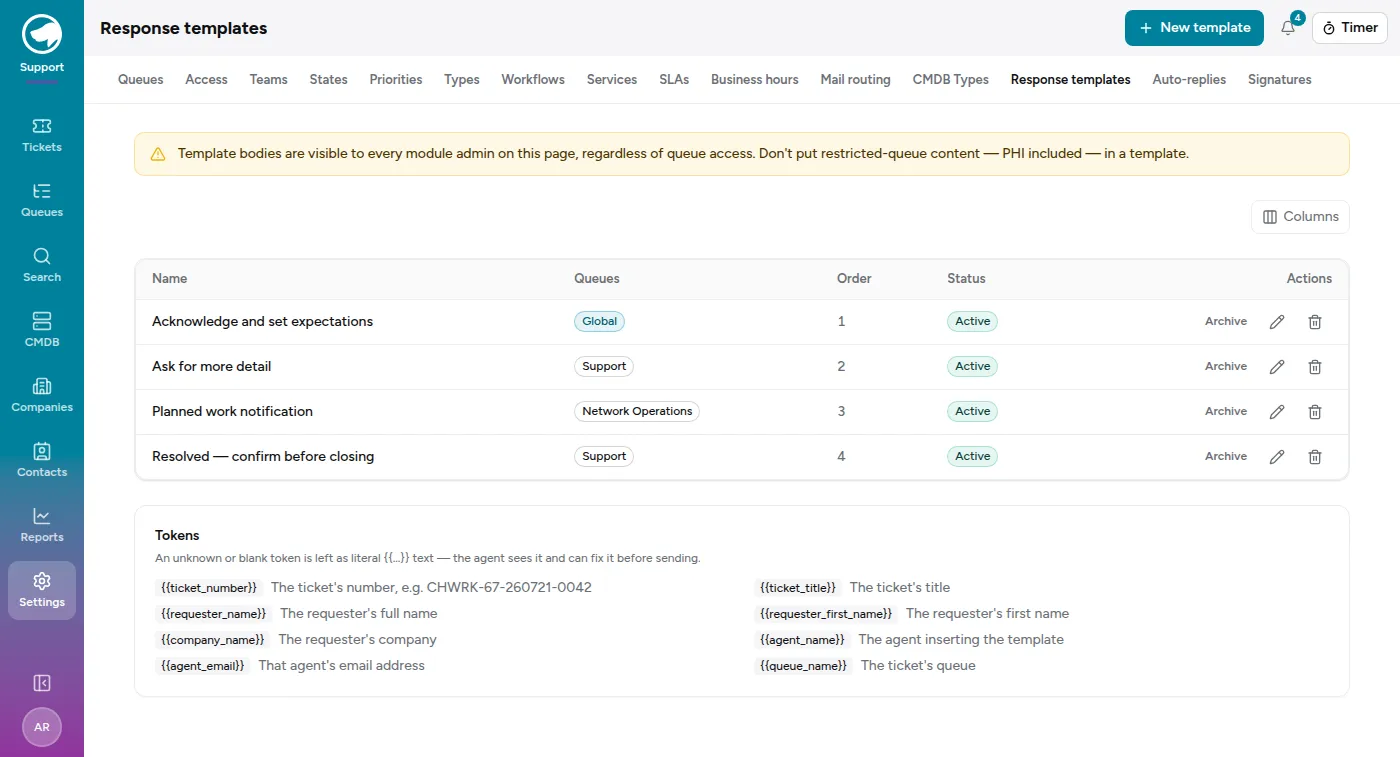
Agents reach them from Insert template… in the reply composer. Picking one inserts its text at the cursor; it does not replace what’s already there, so you can stack a greeting template and a closing one.
Global or per-queue
Section titled “Global or per-queue”The Queues column is the one setting worth understanding:
- A template linked to no queue shows as Global and is offered on every ticket.
- A template linked to one or more queues is offered only on tickets in those queues.
So “Acknowledge and set expectations” is fine everywhere, while “Planned work notification” only makes sense in Network Operations and would be noise in the Billing queue’s picker. Scope the specific ones; leave the general ones global.
Templates are ordered by the Order column, and that’s the order agents see them in. Put the one you use hourly at the top.
Tokens
Section titled “Tokens”All three kinds of text support tokens: {{requester_first_name}},
{{ticket_number}}, {{company_name}}, {{queue_name}}, and a few more. Each
settings page lists the ones it supports at the bottom, because they differ —
{{agent_name}} exists for templates and signatures but not for auto-replies,
which have no agent.
Write them exactly as shown, doubled braces and all. The full set is on each page; there’s no value in reproducing it here where it can go stale.
What happens when a token can’t be filled in
Section titled “What happens when a token can’t be filled in”Here’s where “read before sending” earns its keep. The same unfillable token behaves differently in each of the three places, and both behaviours are deliberate:
- In a template, it’s left visible as literal
{{whatever}}. You’re about to read this text in the composer, so the honest failure is the one you can see and fix. - In an auto-reply or a signature, it’s silently dropped. Nobody is going to
read it first, and
Hi {{requester_first_name}},landing in a customer’s inbox is worse thanHi,.
Neither is a bug, and it’s worth knowing which you’re writing. A typo’d token in a template is embarrassing for a second; a typo’d token in an auto-reply just quietly leaves a hole in every acknowledgement you send.
Signatures
Section titled “Signatures”A signature is appended to outbound mail. Each queue picks its own, and it picks two:
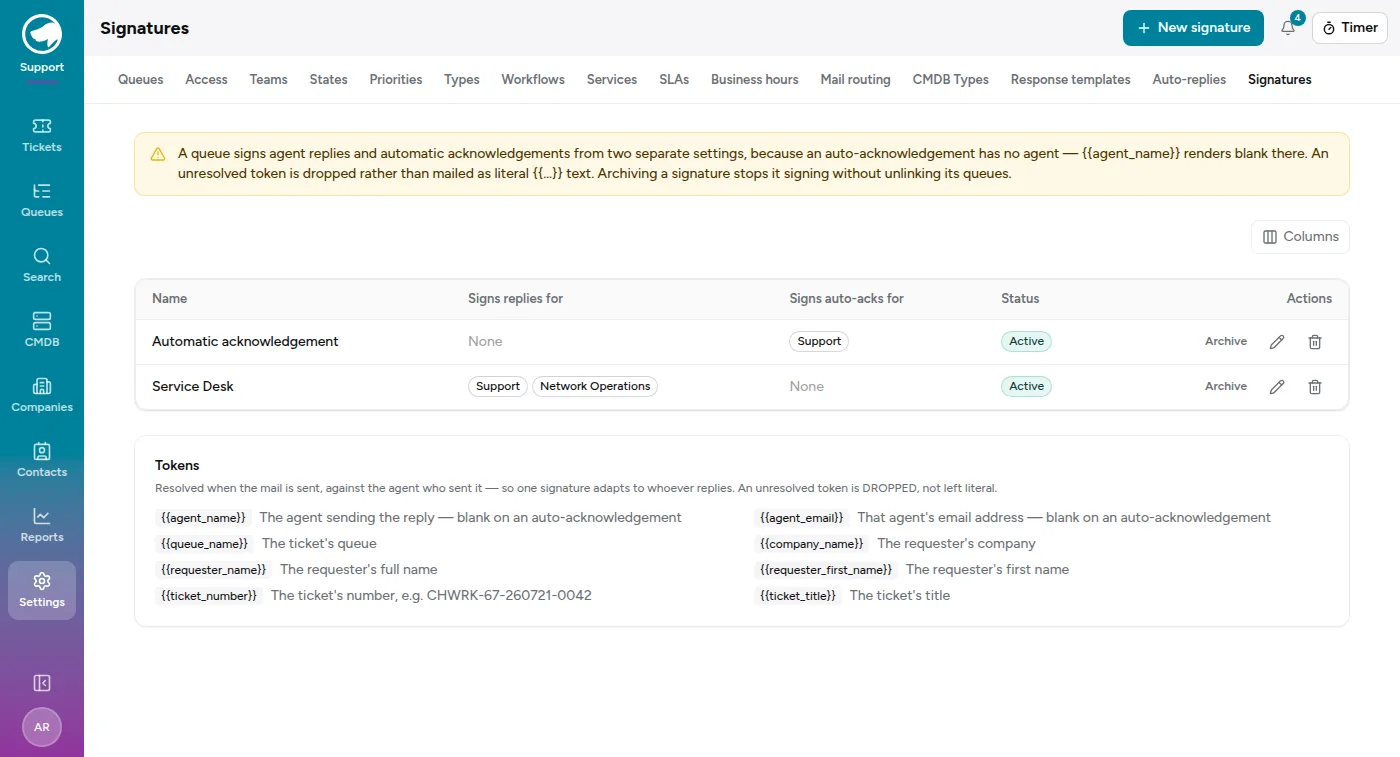
- Signs replies for — goes under what an agent writes.
- Signs auto-acks for — goes under the automatic acknowledgement.
They’re separate settings because an auto-acknowledgement has no agent.
{{agent_name}} and {{agent_email}} resolve to nothing there and get dropped,
so a signature reading “Ada Reyes, Cloverhound Service Desk” quietly becomes
“, Cloverhound Service Desk”. Give the acknowledgement its own signature with no
agent tokens in it — the demo above does exactly that.
Archiving a signature stops it signing anything, but leaves its queue links in place. Un-archive it and it picks up where it was, rather than needing to be re-attached to six queues from memory.
Auto-replies
Section titled “Auto-replies”The “we’ve got it” a requester receives when their email becomes a ticket.
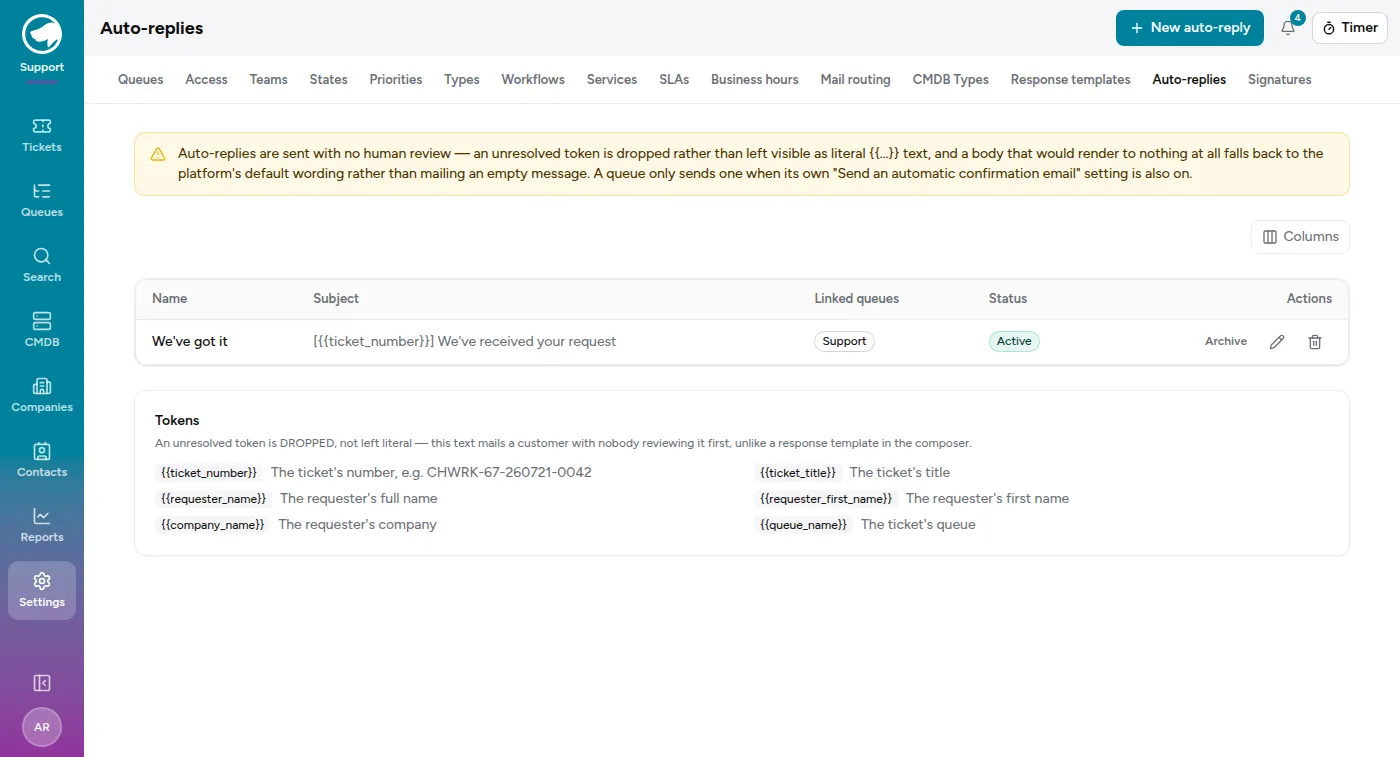
A good one does three things: confirms you have it, gives the ticket reference, and says what happens next. What it should not do is promise a response time your SLA doesn’t back — this is the most-read message your service desk sends, and it’s the one customers quote back at you.
If an auto-reply body would render to nothing at all — every token empty, no literal text left — the platform’s own default wording is sent instead. A customer never receives a blank email from you, whatever you manage to configure.
A sensible starting set
Section titled “A sensible starting set”You don’t need many. Most desks run well on:
- One global template that acknowledges and sets expectations.
- One per common ask — “we need more detail”, “this is now resolved”.
- One signature for replies, one for acknowledgements.
- One auto-reply, on the queue customers actually email.
Add more when you notice yourself typing the same thing twice. A library of forty templates nobody can find is worse than six that everyone knows.