Your team
If you supervise a team, Reports → Team answers the question the rest of the reports can’t: how did my people do?
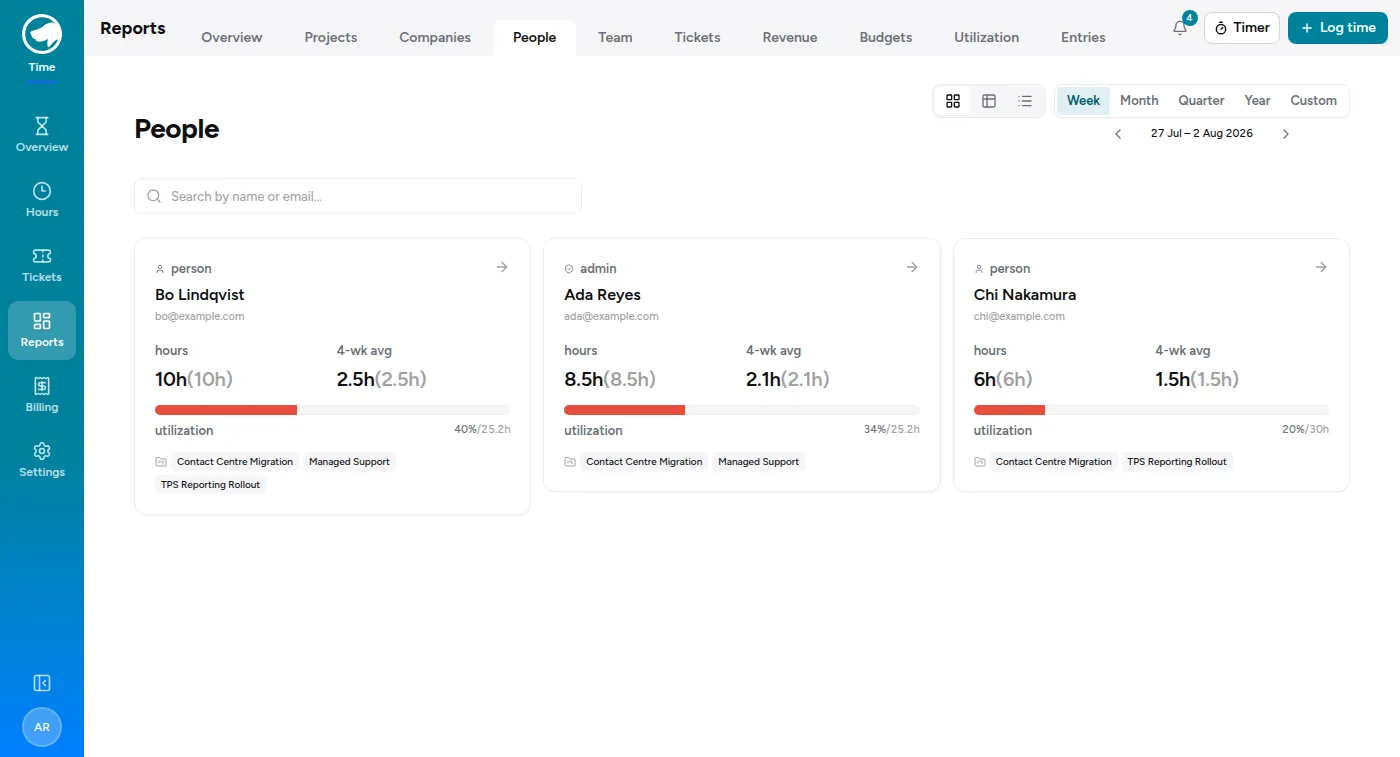
Everything else under Reports is organised by project — your projects, their hours, their budgets. That works until the people you’re responsible for spend time on accounts you aren’t assigned to, at which point a project-shaped report quietly leaves half their week out. This page is organised by person instead.
What’s on it
Section titled “What’s on it”- Who did what — one row per person: hours, how much of that was billable, their utilization against their own weekly target, a four-week average, and what their time bills out to, split into already invoiced and not yet.
- Team totals — the same figures for the group.
- Accounts and Projects — where the team’s time actually went, biggest first.
- Last 12 weeks — the team’s hours per week against the sum of everyone’s target, so a dip or a crunch shows up as a shape rather than a number.
Click anyone’s row to open their own page, with their week-by-week cadence and project mix.
Money on this page
Section titled “Money on this page”“Billed” and “unbilled” mean what the customer is charged for the time, at the rate that was in force when each entry was logged. Unbilled is the useful one day to day: work that’s done and not yet invoiced.
It is not what the work costs internally — the app doesn’t track that at all.
Being a supervisor
Section titled “Being a supervisor”Supervisor is a role on a team, granted by a Time Tracking admin under Settings → Teams. It’s the only thing that puts this page in your nav, and it’s per-team: supervise two teams and a picker appears at the top to switch between them.
Two things it is not:
- It isn’t the Project manager role. That one lets you create and manage projects across the whole organization. Supervising a team is about named people, not projects, and the two are granted separately — you can have either, both, or neither.
- It isn’t admin. You see your team’s numbers. You can’t edit the team, and you don’t gain access to the rest of the organization’s reports.
Seeing an account instead
Section titled “Seeing an account instead”If what you actually want is one customer — how Acme is tracking, its budgets, its revenue, everyone working on it — you don’t need a team for that. Ask an admin to give you a company assignment for that customer on your profile, and every report under Reports narrows to that account automatically.
The two work well together: the team page for your people, the company assignment for your account.