Partner-led deals
Most deals have one company on them: you sell to them, you deliver for them, you invoice them. A partner-led deal has two. A reseller or referrer brings you the work, you deliver it for an end customer, and the invoice usually goes back to the partner rather than to the customer whose work it was.
The app models both parties separately, so nothing has to be fudged into a single field.
Marking a company as a partner
Section titled “Marking a company as a partner”A partner is an ordinary company with the Partner box ticked on its edit page (Sales → Companies). Only ticked companies show up in the partner pickers, which is the whole point of the flag — you can’t accidentally attach a customer as the partner on their own deal.
Partners can also carry agreements — a reseller agreement, an NDA. If your agreement types are marked as required for partners, a partner missing one raises a warning on the deal. It never blocks anything; it’s there so you find out before the invoice does.
The partner on a deal
Section titled “The partner on a deal”An opportunity has a Partner field alongside its company. Leave it blank for a direct sale — that’s still most of what Salesforce syncs, since there’s no partner field on that side to import.
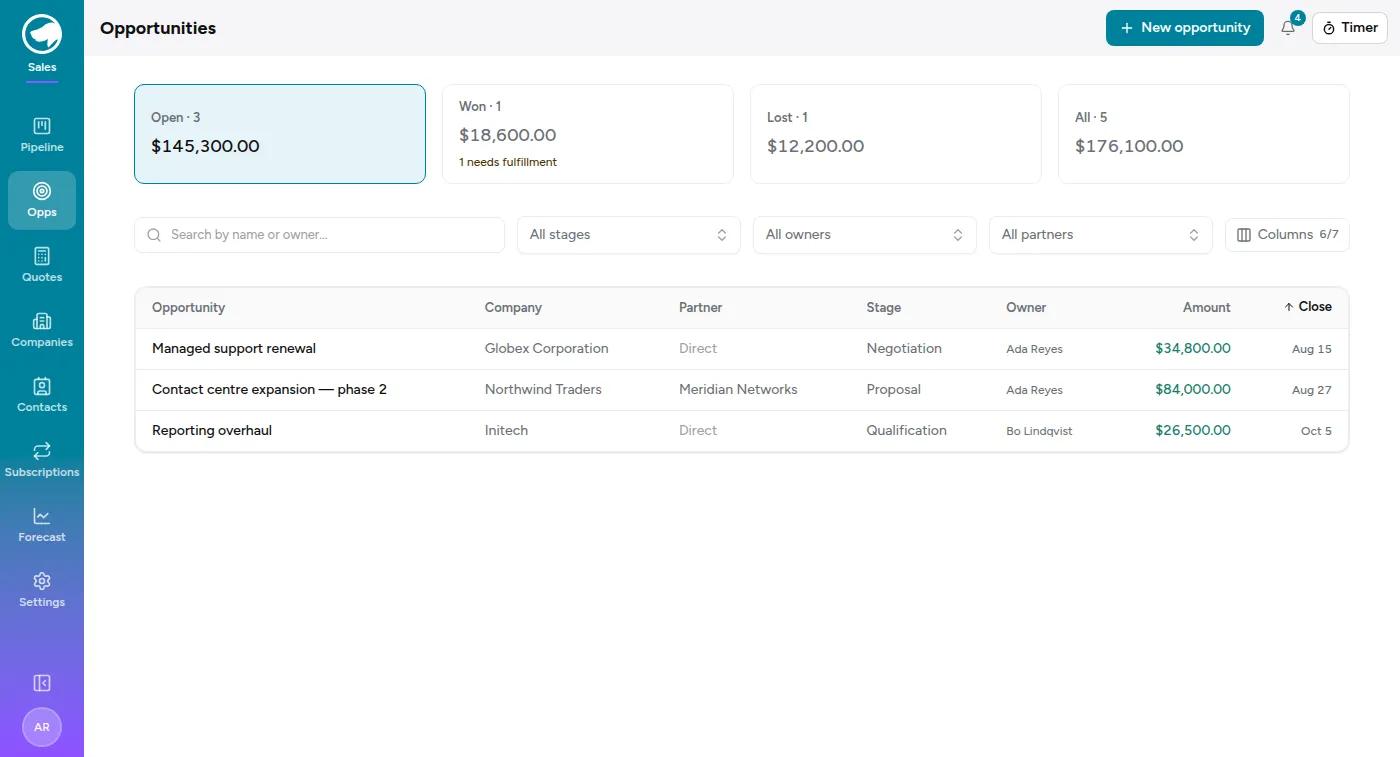
On the pipeline list, Partner is a column (direct deals read Direct) and a filter. The filter includes a Direct (no partner) option, so “show me everything we sold without a partner” is one click rather than a mental subtraction.
The partner on the work
Section titled “The partner on the work”Projects carry their own Partner field, on the project’s edit page under Time → Settings → Projects. There is no separate “bill to” switch, because there doesn’t need to be one: setting a partner is the routing decision.
- A partner is set — this project’s invoices go to that partner.
- Blank — they go to the customer whose work it is, which is what every project meant before partner billing existed.
One field rather than two means the two can never disagree — no project can claim to bill a partner it doesn’t have, or to bill its customer while naming someone else.
What this changes about invoicing
Section titled “What this changes about invoicing”The bill-to party is who the invoice is actually addressed to, so it decides:
- which Xero organisation the invoice is raised in, and
- which Xero contact it goes to.
Both are read off the bill-to company together, because a Xero contact only exists inside the organisation it came from. If the partner isn’t linked to a Xero contact yet, the push modal says so and offers to link one — naming the partner, not the customer.
A customer whose work splits two ways
Section titled “A customer whose work splits two ways”Because the partner is per project, one customer can have some projects billed to a partner and others billed direct. A single invoice can’t be addressed to two contacts, so billing detail shows an Invoiced to row of pushable groups for that customer, and the push button waits until you pick one.
Picking a group narrows the table, the totals and the push together, so the number on screen is always the number that gets invoiced. Leaving it on All parties keeps the rollup — “how much of this customer’s work is still unbilled” — which is the question that page has always answered.
The pushed invoice record remembers which party it went to, so the Xero page’s history reads Northwind Traders — via Meridian Networks rather than leaving you to reconstruct it.
What partner-led deals don’t change
Section titled “What partner-led deals don’t change”- Rates. There’s no partner rate. The existing precedence — per-person-per- project, then the project default, then per-person-per-company, then the person’s default — is unchanged, and the rate is still snapshotted onto each time entry when it’s logged.
- Who the work belongs to. Reports, budgets and project rollups stay keyed to the customer you delivered for. The partner is a second party on the deal and the invoice, not a re-parenting of the work.