Your overview
Dashboards in the nav opens your overview — your own time for a stretch of weeks, in one place. It answers “how did I actually spend the last few weeks?” without you opening a single entry.
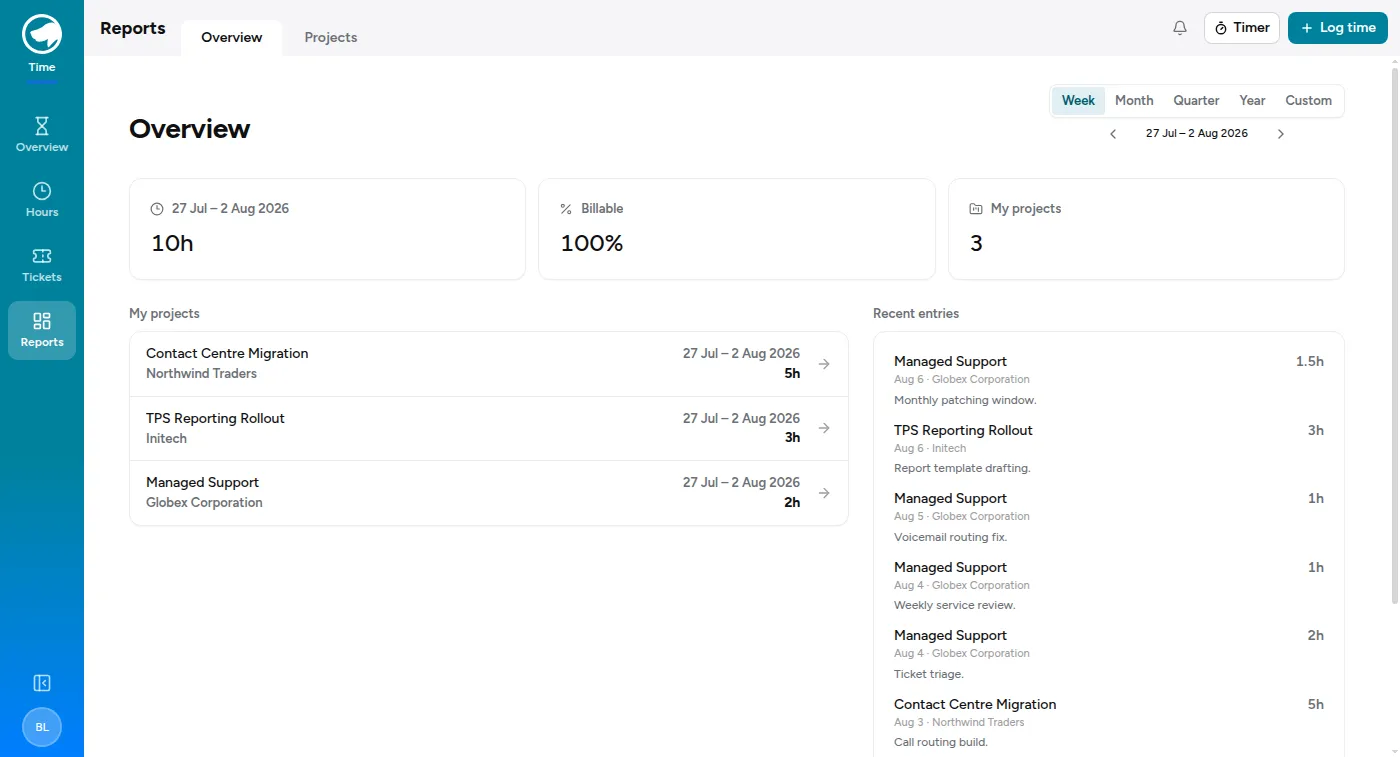
It shows only you. (Admins see a company-wide dashboard here instead; everyone else sees themselves.)
What’s on it
Section titled “What’s on it”- Hours logged over the range you’ve picked.
- Billable — what share of those hours was billable. Not a target, just a number: some weeks are heavy on internal work and that’s fine.
- My projects — your hours broken down by project, so you can see where the time actually went.
- Recent entries — the last handful you logged, to jump back to.
The range
Section titled “The range”There’s a range control at the top — this week, last week, and wider spans. It opens on the previous week rather than the one in progress, because a week you’ve finished is the one worth looking back on; the current one is still half-empty by definition.
Where the numbers come from
Section titled “Where the numbers come from”Everything on this page is built from your time entries. If something looks off — a project missing, a week too light — the fix is always in the entries themselves: log what’s missing or correct what’s wrong, and the overview follows.